 Ezekiel Adewumi
Key Points
- Businesses in ChatGPT lets you claim a free profile and correct what ChatGPT says about you.
- Online businesses in the UAE can set up a profile today, while shops and restaurants have to wait.
- Have your DNS access, business phone or email, ID and trade licence ready before you start.
- Setting up takes seven steps, from signing in to inviting your team.
- Write your profile in plain facts, with the same wording as your website.
- Restaurants, clinics, salons, gyms and shops cannot claim a location profile yet, but they can still shape what ChatGPT finds.
On 10 November 2026, OpenAI opened Businesses in ChatGPT. For the first time, a business can claim its own profile inside ChatGPT. It can correct what the assistant says about it and see how often it comes up. Marketers are already calling it the Google Business Profile of AI search.
For businesses in Dubai there is a catch. Right now it works for some of you and not yet for others. This guide covers who can set it up from the UAE today and how to do it, step by step. It also covers what to do if customers visit you in person.
Everything below reflects the beta as of 13 November 2026. OpenAI says eligibility may change, so check Business Hub itself before you start.
What Businesses in ChatGPT is
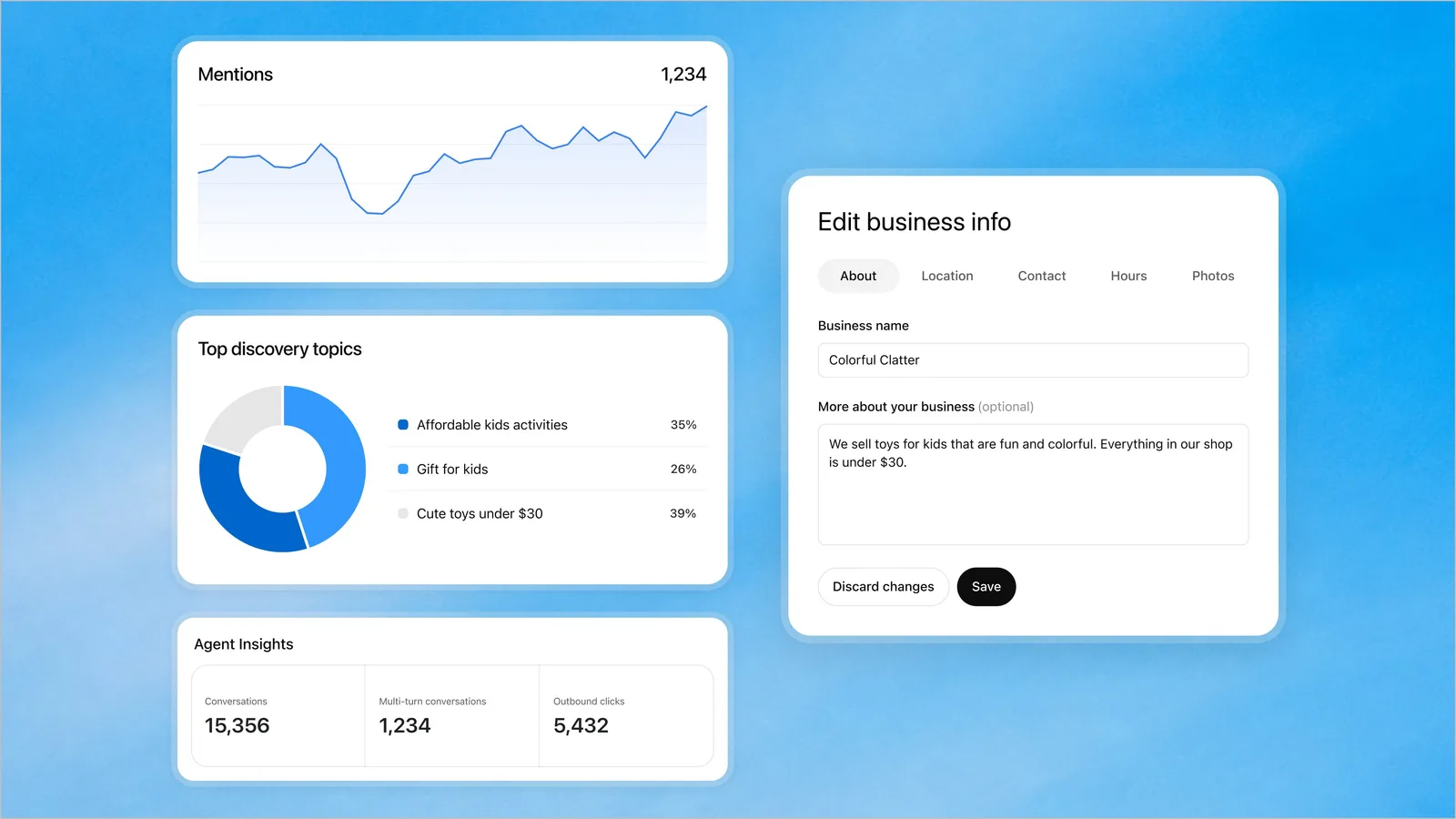
Businesses in ChatGPT lets you claim a free profile and correct what ChatGPT says about you. You manage your listing in Business Hub, at chatgpt.com/business-hub. Once your claim and your identity are approved, you can:
- Edit what ChatGPT shows about you. That means your website, description, category and logo, plus your delivery and return policies and an optional cover photo.
- Keep products current. Prices and stock can come from a product feed or a Shopify sync.
- See your numbers. Insights cover the last 28 days. They show how often ChatGPT mentions you, how many people click through to your website, and the topics that bring you up.
Claiming is free at launch, though OpenAI has not ruled out charging later.
One thing it does not do is buy you a better position. OpenAI says claiming a business does not guarantee higher placement. ChatGPT keeps making its own recommendations.
The comparison with Google Business Profile is useful, but the two do different jobs. Your Google profile feeds Google Search, Maps and AI Overviews. Your Business Hub profile feeds ChatGPT. Customers in Dubai use both, so you need both.
Who in the UAE can set it up today
Online businesses in the UAE can set up a profile today, while shops and restaurants have to wait. Two rules decide it.
Online businesses can set up a profile now. OpenAI lets eligible businesses claim a profile where ChatGPT is available, and the UAE is on its list of supported countries. If customers buy from your website or book your service online, you are likely eligible. That covers ecommerce stores, SaaS companies, consultancies, agencies and most service firms with a website. Verification still has to succeed, and OpenAI may decline some categories.
Local stores and restaurants have to wait. In OpenAI’s own words, quoted by BrightLocal, “local stores and restaurants can currently claim only an existing U.S. listing.” When Search Engine Journal tried to create a new profile for a physical location, it was offered a waitlist instead.
So a café in Jumeirah, a salon in JLT or a showroom on Sheikh Zayed Road cannot claim its location profile yet. If customers come to you in person, prepare now and claim when OpenAI opens local listings outside the US.
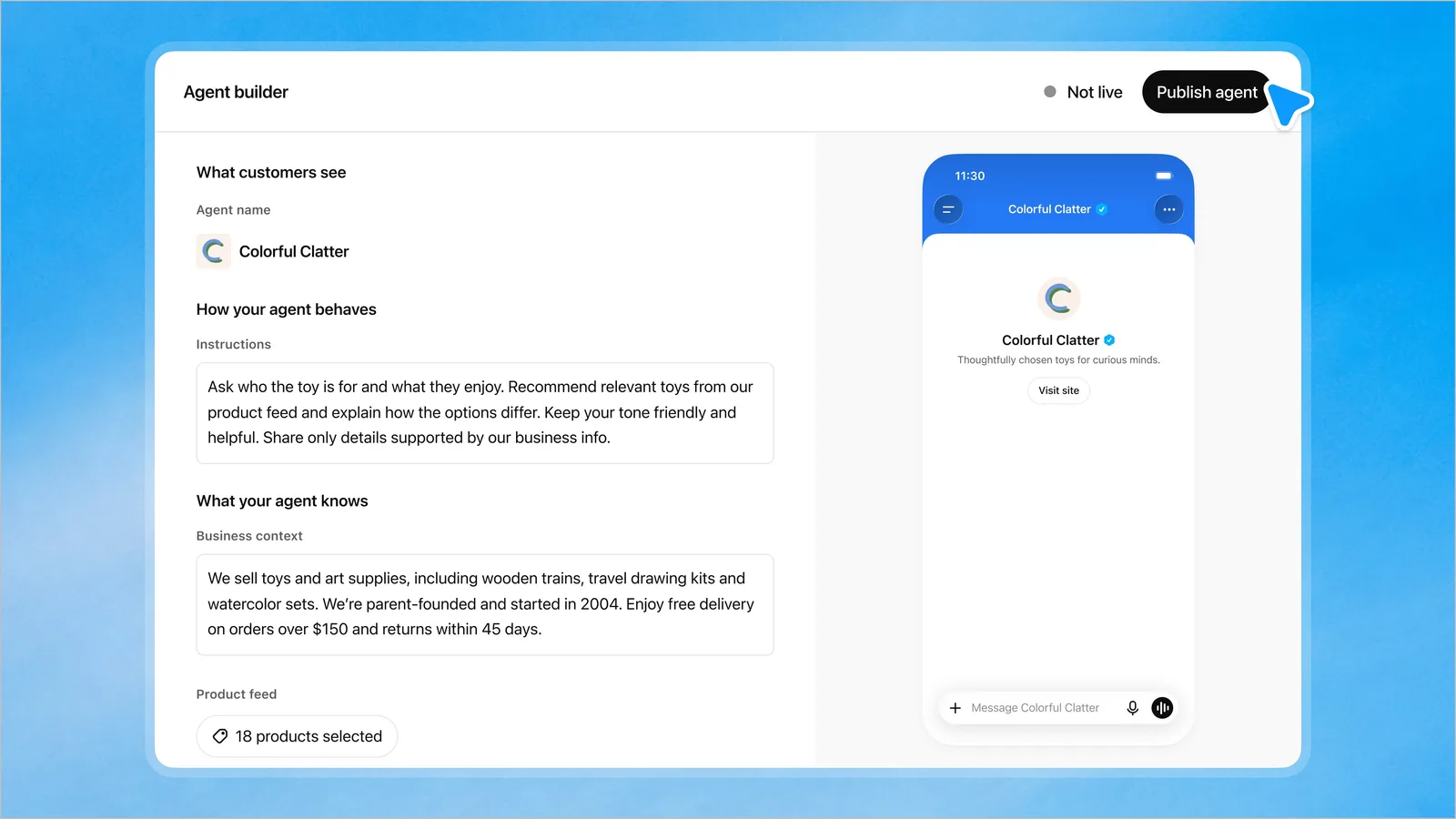
Business Agents are US only for now. A Business Agent helps people explore what you offer, inside ChatGPT. Customers can ask questions, compare products and find what fits, using information your business provides. OpenAI says the conversation is clearly labelled and kept separate from ChatGPT’s own answers. At launch it is limited to eligible ecommerce and online service businesses in the US, so UAE businesses cannot publish one yet.
What to have ready
Have your DNS access, business phone or email, ID and trade licence ready before you start. The process can take minutes once you have the right access:
- Your domain’s DNS settings. Verifying through your website means adding one TXT record. If a developer manages your site, ask them now.
- The business phone or email. OpenAI can send a code to the phone number or email address listed for your business.
- A government ID for the person claiming, such as an Emirates ID or a passport.
- Your business registration details. The form asks for the identifier your country uses. For most UAE companies, that is the trade licence.
- Authority to act. You must own the business or be authorised to represent it.
- Your Shopify login, if you sell on Shopify. Connecting the store is the quickest way to verify.
You do not need a ChatGPT Ads account to claim a profile. Claiming, publishing an agent and advertising are separate steps.
How to set it up, step by step
Setting up takes seven steps, from signing in to inviting your team.
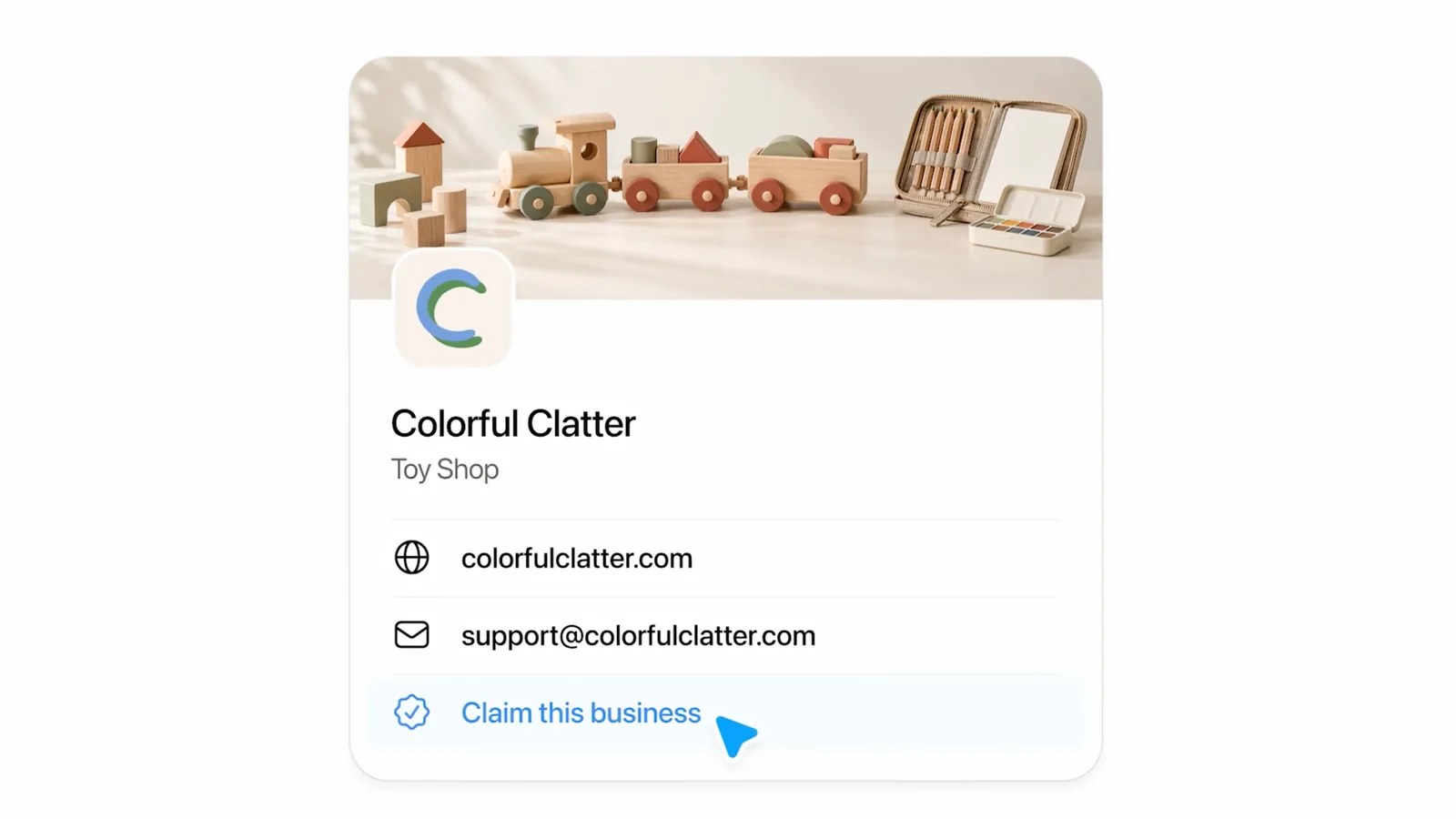
- Sign in to ChatGPT and open chatgpt.com/business-hub. Use a login that belongs to the business, not to one employee. If that person leaves, you still want access.
- Search for your business. If ChatGPT already knows it, claim the listing. If nothing matches and you run an online business, you may see an option to add a new profile.
- Verify the claim. You can get a code by SMS or an automated call to the business phone, or a code to the business email. You can also add a TXT record to your domain or connect Shopify. Not every business sees all four options.
- Wait for approval. Review can be quick. If someone else already claimed your business, you can dispute the claim.
- Complete the identity check. OpenAI uses Persona, which opens on your phone through a QR code or link. You may need your ID, your registration details and proof that you can represent the business. Approval unlocks editing, insights and the blue check.
- Complete the profile. Pick the closest category and write your description. Then add your logo, website and policies.
- Invite your team. Admins can be added from the business overview page, so the profile does not depend on one person.
If you run more than one brand or branch, plan for extra work. Business Hub has no central place to manage a parent company’s brands and locations yet. Each one is claimed and managed separately.
How to write a profile ChatGPT can use
Write your profile in plain facts, with the same wording as your website. The profile is short, so every field counts.
- Say what you do, for whom, and where. “Online florist delivering across Dubai and Abu Dhabi” beats “premium floral experiences”. Use the same wording as your website.
- Choose the closest category, even if none fits perfectly. A precise description makes up for an imperfect category.
- State real policies. Give your actual UAE delivery times and return window. Shoppers ask ChatGPT about both.
- Match your details everywhere. Before Business Hub, ChatGPT built its picture of businesses from websites, Yelp, data aggregators and directories, according to BrightLocal. If your name, phone or address differs between those sources, you give it a reason to doubt all of them.
- Cover both languages on your website. OpenAI has not said how profiles appear to people asking in Arabic. Your website is still a source ChatGPT reads, so state your services and details clearly in Arabic and English there.
If customers visit you in person
Restaurants, clinics, salons, gyms and shops cannot claim a location profile yet, but they can still shape what ChatGPT finds. Start with these:
- Keep your Google Business Profile complete. It is still the master record. BrightLocal’s research found Google relies on it for almost every business shown in AI Overviews and AI Mode. Our guide to getting on Google Maps in Dubai covers the setup.
- Put your facts on your website in plain text. Show opening hours, address, phone and services as readable text, with LocalBusiness structured data behind them.
- Keep your listings consistent. The directories and data sources ChatGPT has used are covered in our guide to local business listings in Dubai.
- Earn recent reviews on more than one platform. Reports on how ChatGPT answers local questions point to businesses with strong, current reviews across several sites.
- Check Business Hub every month. When OpenAI opens local listings in the UAE, claim yours the same day.
Business Hub, AEO and ChatGPT ads
Business Hub fixes your facts, AEO earns the recommendation and ChatGPT ads buy the space below the answer. The three work separately.
Business Hub controls the facts ChatGPT has about you. It does not decide whether you are recommended.
Answer engine optimisation decides whether you are the answer. It covers how clearly your website answers real questions and how often trusted sites mention you. Our AEO guide for Dubai businesses explains the method.
ChatGPT ads buy the space below the answer. They opened to UAE advertisers on 16 September 2026, and our guide to ChatGPT ads covers how they work. An ad never changes the answer itself.
A claimed profile with accurate facts makes the other two work better. It is also the only one of the three that is free.
Where to start
If you sell or book online, claim your profile this week. It is free, takes minutes, and early insights tell you how often ChatGPT already mentions you.
If customers visit you in person, use the wait to fix your website and listings. To see how AI search reads your site today, run our free AEO Score.
If you want a partner to handle it, our SEO and AEO team sets up Business Hub and corrects the facts AI reads. We then work on making you the answer, as your Co-Driver for AI search.
Frequently Asked Questions
Is ChatGPT Business Hub free?
Yes, at launch. Claiming and managing a profile costs nothing. OpenAI has said it may charge in the future.
Is it the same as Google Business Profile?
It plays the same role for a different engine. Google Business Profile feeds Google. Business Hub feeds ChatGPT. Keep both up to date.
Can my Dubai restaurant or shop claim its listing?
Not yet. Local stores and restaurants can currently claim only existing US listings. Prepare your website and Google profile now, and claim when the UAE opens.
Will claiming my profile make ChatGPT recommend me more?
No. OpenAI says claiming does not guarantee higher placement. It makes sure ChatGPT has your correct details when it does mention you.
Do I need a ChatGPT Ads account?
No. Claiming a profile, publishing an agent and advertising are three separate things.